What is a text or graphic user interface good for? For me the primary use is moving and processing files in two directories.
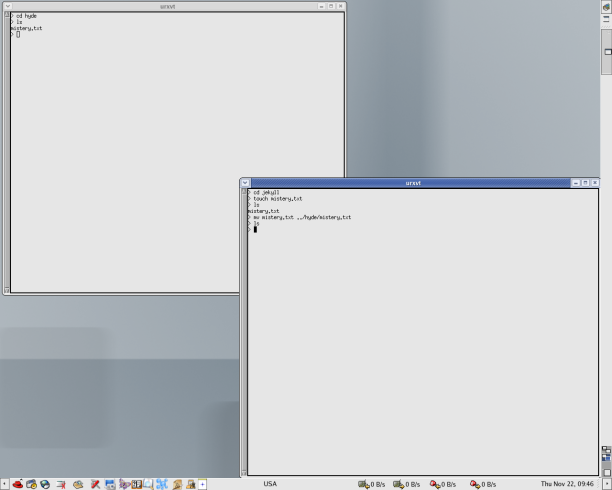
I could use two terminals. This Figure “Using two terminals” shows how this might be done.
In the bottom-right terminal I have gone to the jekyll folder. I have created a mystery.txt file; then I moved the file to the hyde folder. In the top-left terminal I explore the hyde folder.
It's a bit cumbersome to work with the terminals like that. A text user interface (TUI) as in the Midnight Commander is extremely useful for this type of operations.
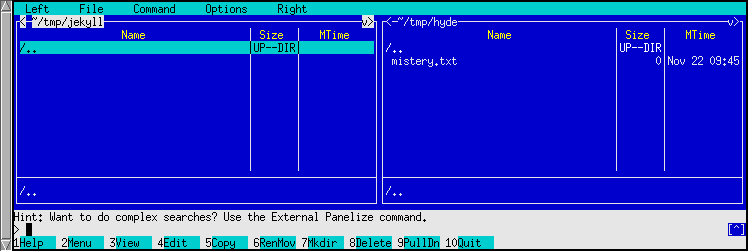
But if we just want to cut, copy, move and edit files the simplest solution is to use two windows-as-panels. See the next figure:
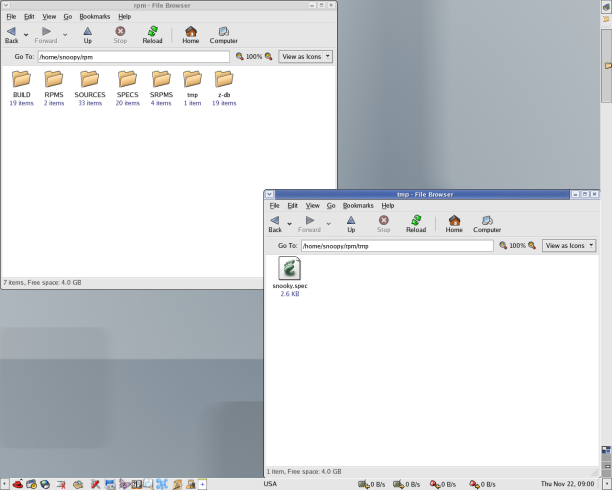
Why use a complex program when you just move files around? For example, someone deplored the fact that the rpm building uses a SPECS folder and a SOURCES folder. However, it is easy to keep and modify the files in the rpm/tmp folder and then move them in the rpm/SOURCES or rpm/SPECS folders. See the “Two windows-as-panels” Figure for an image of this solution which resorts to the graphic user interface offered by Gnome.
When you want to “see” two points of the tree of files the the graphic user interface is the best solution. But keep it simple! It is useful because you do not focus on file processing, but you just want to see how the files are located and relocated.
The same strategy may be used when you want to see three or more folders at the same time. However, it is better to put the windows in different workspaces as this can be done easily with X-windows managers under GNU/Linux.